 Video Editing
Professional YouTube Video Editing: The Ultimate Growth Strategy for Creators & Brands in 2026
Published 26 March 2026
Introduction
YouTube has become one of the most powerful platforms for businesses, creators, and personal brands. With millions of videos uploaded daily, simply creating content is no longer enough. If you want to stand out, retain viewers, and grow your audience, professional video editing has become a necessity.
Many creators focus heavily on thumbnails, titles, and SEO. While those elements help attract clicks, what truly determines success is what happens after viewers press play.
That's where professional YouTube video editing makes the difference.
Well-edited videos keep audiences engaged, increase watch time, improve retention, and send positive signals to YouTube's algorithm—all of which contribute directly to channel growth.
In this guide, we'll explore why professional YouTube video editing is one of the most effective growth strategies in 2026 and how businesses and creators can leverage it for better results.
Why YouTube Video Editing Matters More Than Ever
The YouTube algorithm prioritizes content that keeps viewers engaged.
Key ranking factors include:
- Watch Time
- Audience Retention
- Session Duration
- Engagement Rate
- Shares and Comments
Professional editing improves all of these metrics by creating a smoother and more engaging viewing experience.
Benefits of Professional YouTube Video Editing
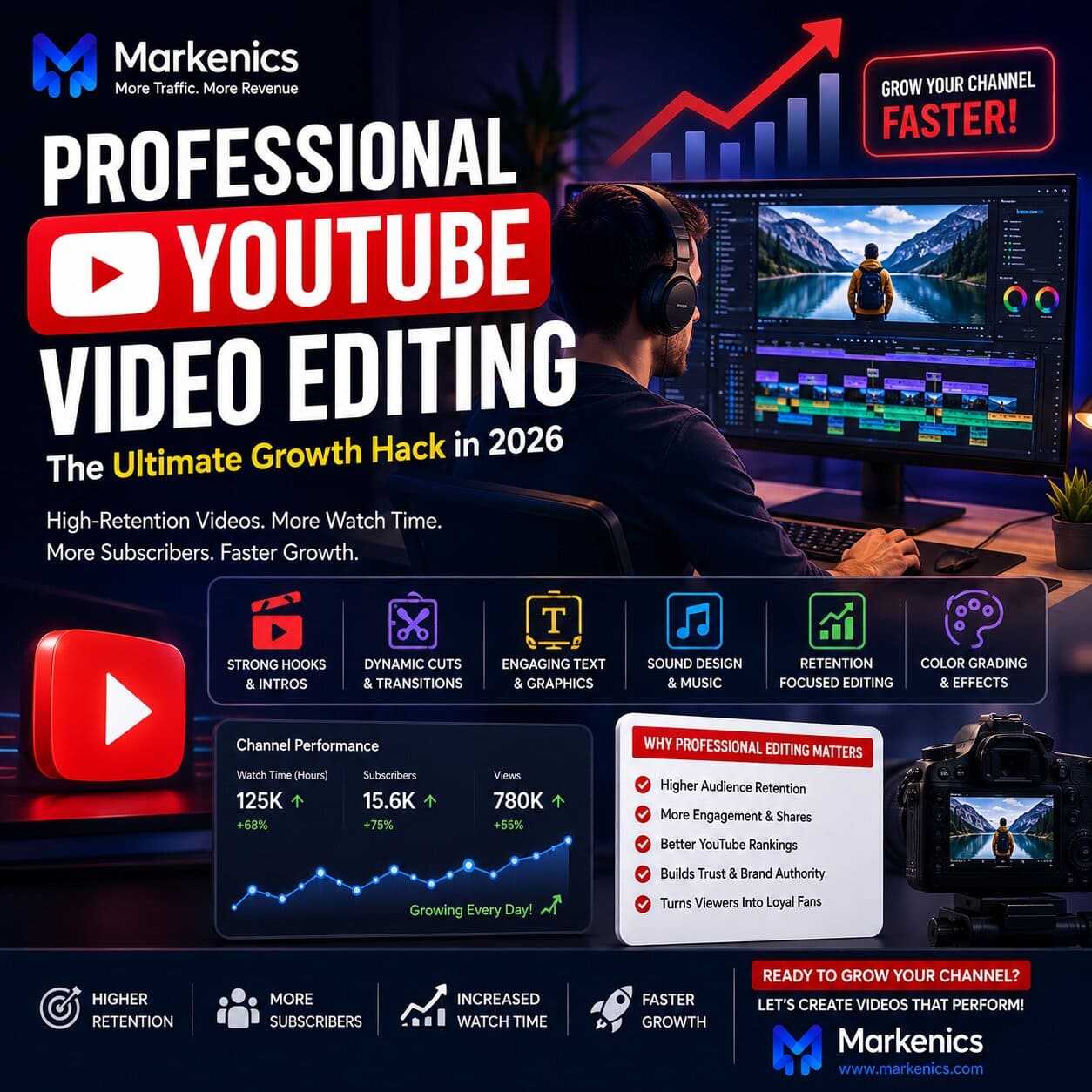
✔ Higher Audience Retention
✔ Better Viewer Experience
✔ Increased Watch Time
✔ More Subscribers
✔ Improved Brand Perception
✔ Higher Video Engagement
✔ Greater Reach Through Algorithm Recommendations
A professionally edited video not only looks better—it performs better.
What Is Professional YouTube Video Editing?
Professional YouTube editing goes far beyond trimming clips and adding transitions.
It combines:
- Storytelling
- Audience Psychology
- Strategic Pacing
- Visual Engagement
- Sound Design
The goal is to keep viewers watching for as long as possible while delivering value in an entertaining and memorable way.
Key Elements of High-Retention YouTube Editing
1. A Strong Hook in the First Few Seconds
The first 5–10 seconds determine whether viewers stay or leave.
Professional editors help create compelling openings that immediately capture attention.
Effective Hook Examples
- Surprising Results
- Bold Statements
- Questions
- Curiosity-Based Openings
- Problem-Solution Scenarios
Instead of lengthy introductions, successful videos get straight to the point.
2. Fast-Paced Editing
Modern audiences have shorter attention spans.
Professional editing keeps viewers engaged through:
- Jump Cuts
- Scene Changes
- Zoom Effects
- Dynamic Camera Movements
- Visual Transitions
These techniques help maintain momentum and prevent viewer drop-off.
3. Visual Engagement Layers
Successful YouTube creators rarely rely on talking alone.
Professional editors incorporate:
- Text Animations
- Graphics
- B-Roll Footage
- Icons and Visual Cues
- Motion Graphics
These elements make videos more engaging and easier to understand.
4. Strategic Sound Design
Audio plays a major role in audience engagement.
Professional editing includes:
- Background Music
- Sound Effects
- Audio Balancing
- Noise Reduction
- Emotional Audio Cues
Great sound design enhances storytelling and creates a more immersive experience.
5. Retention-Based Editing
One of the biggest differences between amateur and professional editing is retention optimization.
Retention editing focuses on:
- Removing Filler Content
- Eliminating Unnecessary Pauses
- Improving Video Flow
- Re-engaging Viewers Throughout the Video
Every second is intentionally designed to keep viewers interested.
How Video Editing Helps YouTube Growth
Professional editing directly influences the metrics that matter most.
Higher Audience Retention
When viewers stay longer, YouTube interprets the content as valuable.
This increases the likelihood of:
- Homepage Recommendations
- Suggested Video Placement
- Search Visibility
Increased Watch Time
Engaging videos encourage viewers to:
- Watch Longer
- Watch Additional Videos
- Spend More Time on Your Channel
This signals quality content to YouTube's algorithm.
More Engagement
Professional videos often generate:
- More Likes
- More Comments
- More Shares
- More Subscribers
These engagement signals contribute to channel growth.
Popular YouTube Editing Styles in 2026
Different content creators require different editing approaches.
High-Energy Business Style
Popular among entrepreneurs and educators.
Features:
- Bold Captions
- Fast Cuts
- Zoom Effects
- Dynamic Graphics
Perfect for:
- Business Content
- Marketing Videos
- Educational Channels
Story-Driven Entertainment Style
Focused on storytelling and audience immersion.
Features:
- Cinematic Sequences
- Emotional Music
- Narrative Structure
- Creative Visual Effects
Ideal for:
- Entertainment Channels
- Lifestyle Creators
- Documentary Content
Clean & Professional Style
Simple, elegant editing that emphasizes quality and clarity.
Features:
- Smooth Transitions
- Clean Graphics
- Minimal Effects
- Premium Visual Presentation
Best for:
- Corporate Brands
- Personal Brands
- Professional Services
Common Editing Mistakes That Hurt Growth
Many creators unknowingly damage their performance through poor editing choices.
Long Intros
Viewers want value immediately.
Lengthy logo animations and introductions often increase drop-off rates.
Slow Pacing
Long pauses and repetitive content reduce retention.
Every scene should serve a purpose.
Lack of Visual Variety
Static videos quickly become boring.
Visual elements help maintain audience interest.
Overusing Effects
Too many effects can distract from the message.
Professional editing balances creativity with clarity.
DIY Editing vs Hiring a Professional Editor
Eventually, most creators face an important decision.
DIY Editing
Advantages
- Lower Cost
- Greater Creative Control
- Learning Opportunity
Challenges
- Time Intensive
- Steep Learning Curve
- Slower Content Production
Professional Editing
Advantages
- Saves Time
- Higher Production Quality
- Faster Channel Growth
- Consistent Branding
Considerations
- Requires Investment
However, many creators view professional editing as a business investment rather than an expense.
Best Tools for Professional YouTube Editing
Industry-standard editing software includes:
Professional Tools
- Adobe Premiere Pro
- DaVinci Resolve
- Final Cut Pro
- Adobe After Effects
Beginner-Friendly Tools
- CapCut
- Filmora
- Canva Video Editor
The software matters, but the editor's creativity and strategy matter even more.
Pro Tips for Faster YouTube Growth
Analyze Audience Retention Reports
Review YouTube Analytics to identify:
- Drop-Off Points
- High Engagement Moments
- Viewer Behavior Trends
Use these insights to improve future edits.
Edit for Mobile Viewers
Most YouTube users watch on mobile devices.
Optimize for:
- Readable Text
- Clear Visuals
- Mobile-Friendly Layouts
Prioritize Storytelling
Even educational content should tell a story.
Strong storytelling keeps audiences emotionally invested.
Create Consistent Editing Templates
Templates help:
- Speed Up Production
- Maintain Brand Identity
- Improve Workflow Efficiency
Why Businesses Need Professional YouTube Editing
For businesses, YouTube is more than a content platform—it's a powerful marketing channel.
Professional editing helps businesses:
- Build Authority
- Increase Brand Awareness
- Generate Leads
- Improve Trust
- Drive Sales
Poorly edited videos can negatively impact brand perception, regardless of how valuable the content may be.
Why Choose Markenics for YouTube Video Editing?
At Markenics, we create high-performance YouTube content designed to increase engagement, retention, and growth.
Our YouTube Video Editing Services Include
- YouTube Video Editing
- Shorts & Reels Editing
- Motion Graphics
- Thumbnail Design
- Podcast Editing
- Video Repurposing
- Retention Optimization
- Content Strategy Support
Why Clients Choose Markenics
✔ Growth-Focused Editing
✔ Fast Turnaround Times
✔ Experienced Creative Team
✔ YouTube Algorithm Understanding
✔ Professional Storytelling Techniques
✔ Consistent Brand Identity
We don't just edit videos—we help brands and creators build audiences.
Conclusion
Professional YouTube video editing has become one of the most effective growth strategies in 2026.
While great content attracts viewers, exceptional editing keeps them watching.
By improving audience retention, watch time, engagement, and overall viewer experience, professional editing directly contributes to faster channel growth and stronger brand authority.
Whether you're a creator, entrepreneur, or business owner, investing in quality editing can help you maximize the impact of every video you publish.
The most successful YouTube channels understand one thing:
Content earns clicks, but editing drives growth.
Frequently Asked Questions (FAQs)
Why Is Video Editing Important for YouTube Growth?
Professional editing improves audience retention, watch time, engagement, and overall viewer experience—all of which influence YouTube rankings.
How Much Does Professional YouTube Editing Cost?
Costs vary depending on video length, complexity, editing style, and turnaround time.
Can Professional Editing Increase Subscribers?
Yes. Better editing often leads to higher retention and engagement, which helps attract more subscribers.
What Is Retention Editing?
Retention editing focuses on keeping viewers engaged through pacing, storytelling, visual elements, and strategic content flow.
Is Hiring a YouTube Editor Worth It?
For creators and businesses serious about growth, professional editing often saves time and improves performance significantly.
Why Choose Markenics for YouTube Video Editing?
Markenics combines creative storytelling, strategic editing, and platform-specific optimization to help creators and brands grow faster on YouTube.